ProcTex Plugin
Extended Highlights
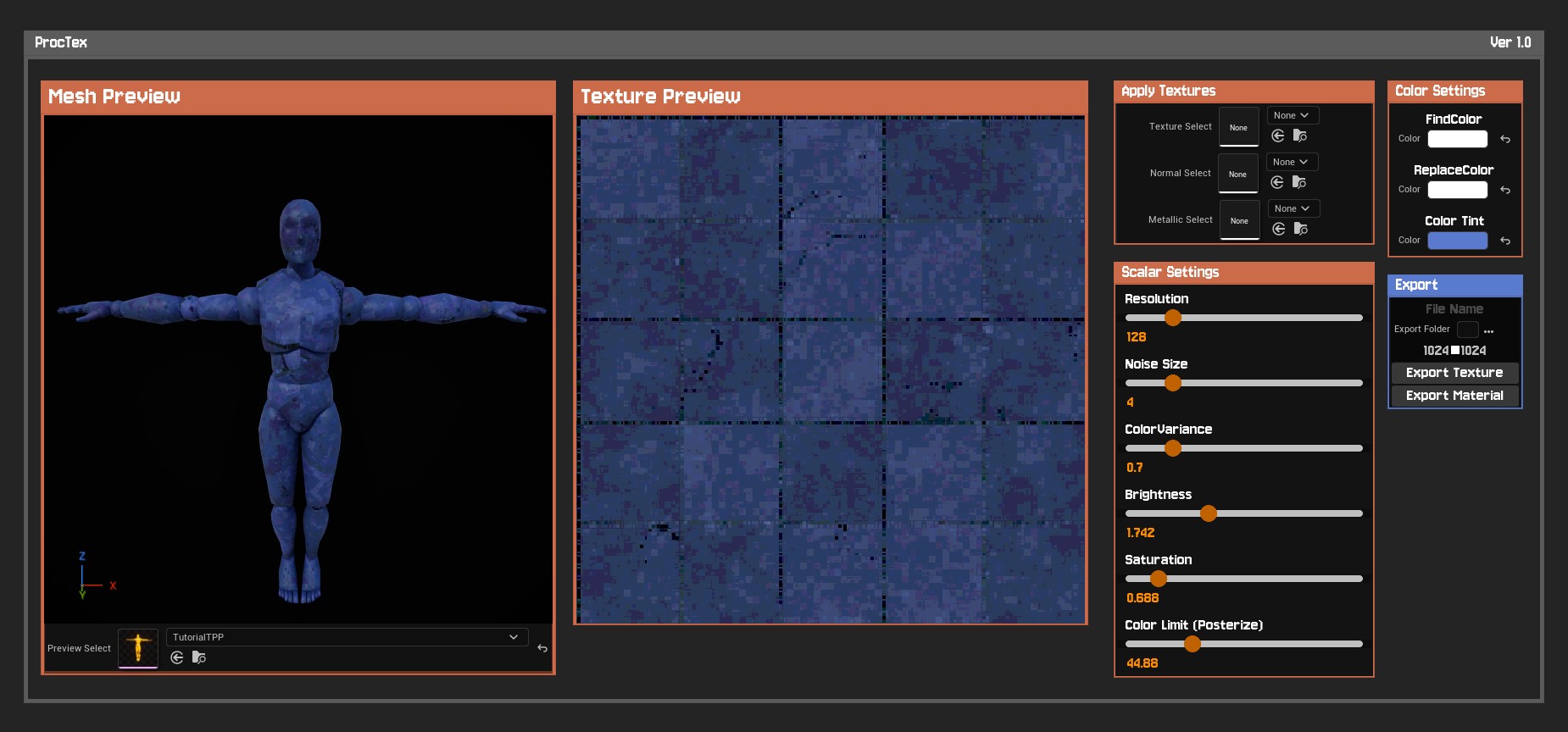
- Created a custom C++ Editor tool with Native UI Integration directly into the main Level Editor toolbar.
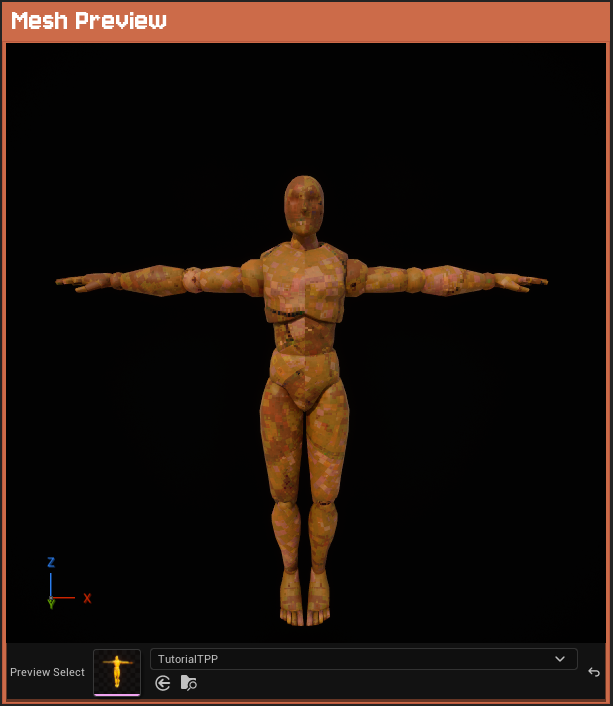
- Added a general 3D previewer supporting both Static Meshes and Skeletal Meshes inside a custom environment.
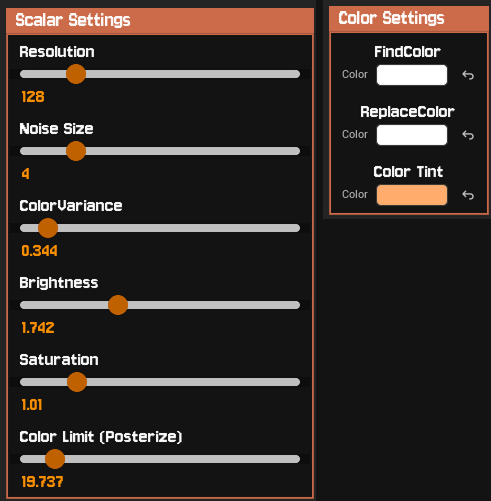
- Built responsive Sliding Filters allowing real time adjustments to Resolution, Noise, Color Variance, and Posterization.
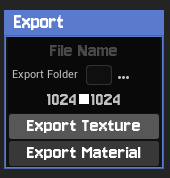
- Created a simple One Click Export system to bake generated texture data into raw Texture Assets or readys to use Materials directly into the Content Browser.
Plugin Overview
ProcTex was born out of a need to rapidly iterate on retro assets during the development of SOL CONSTRUCT. Rather than bouncing back and forth between external texture editing software and the engine, I wanted a native environment to instantly create our textures.
Core Tool Features:
Live 3D & 2D Previews: Updates applied via the UI parameters are mapped in real time to an isolated 2D canvas and a full 3D viewport.
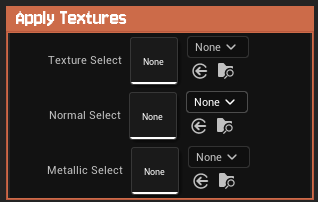
Universal Mesh Support: Use a drop down menu to assign any custom Static or Skeletal mesh to preview the texture application.
Color Correction & Filters: Swap specific colors, adjust global tint, tweak brightness, and crush saturation. The built in posterize limits color depth to achieve that authentic, chunky feel.
Flexible Export: You have the choice to either export raw textures to plug into your own custom shader pipelines, or export everything packaged cleanly into a ready to use Unreal Material.

(Little Side note: Coincidentally, Puck’s Pixelizer came out right around the time I was building this! Their tool is incredibly robust and offers a ton of advanced features, so I highly recommend checking it out if you need a heavier-duty solution, plus their palette stuff is super neat!)
Technical Implementation
Developing ProcTex required bridging the gap between Blueprint Editor Utility Widgets (EUWs) and C++ Editor modules to achieve a seamless, native feel. This was the first “tool” I’ve ever built so it was certaintly a journey trying to figure this stuff out 😅.
- Custom 3D Viewport in UMG: To render a live 3D mesh inside a UMG widget, I created a custom Slate viewport leveraging
SEditorViewportandFAdvancedPreviewScene. This required creating a custom subclass ofFEditorViewportClientto dynamically override the background color (matching the editor’s UI hex colors) and locking Post Process exposure settings so the preview meshes wouldn’t completely blow out against the dark background.
View C++: Slate Viewport Client Override
// Custom Viewport Client to Override the Background
class FMyPreviewViewportClient : public FEditorViewportClient
{
public:
    FMyPreviewViewportClient(FPreviewScene* InPreviewScene)
        : FEditorViewportClient(nullptr, InPreviewScene)
    {
    }

    // Overrides the default engine color with matching UI Hex
    virtual FLinearColor GetBackgroundColor() const override
    {
        return FColor::FromHex(TEXT("#131313"));
    }
};

// ... inside SMyCustomViewport ::MakeEditorViewportClient() ...
MyViewportClient = MakeShareable(new FMyPreviewViewportClient(PreviewScene.Get()));
MyViewportClient->bSetListenerPosition = false;
MyViewportClient->SetRealtime(true);
Overcoming Quirks with SinglePropertyViews: Building a simple dropdown to select either a Static or Skeletal mesh ran into UE5’s strict property typing. I solved this by defining a generic UObject* variable in C++ using the AllowedClasses = “StaticMesh,SkeletalMesh” specifier. To bypass UMG bugs, the widget dynamically binds to itself using an Event Pre Construct node before executing a C++ cast to seamlessly swap the hidden mesh components in the preview scene.
View C++: Slate Viewport Client Override
void UModelPreviewWidget::ApplyMeshAsset()
{
#if WITH_EDITOR
    // Safely cast the generic UObject parameter assigned via the SinglePropertyView
    if (UStaticMesh* SM = Cast<UStaticMesh>(PreviewMeshAsset))
    {
        SetStaticMesh(SM);
    }
    else if (USkeletalMesh* SKM = Cast<USkeletalMesh>(PreviewMeshAsset))
    {
        SetSkeletalMesh(SKM);
    }
    else
    {
        SetStaticMesh(nullptr);
        SetSkeletalMesh(nullptr);
    }
#endif
}
Overcoming Quirks with SinglePropertyViews: Building a simple dropdown to select either a Static or Skeletal mesh ran into UE5’s strict property typing. I solved this by defining a generic UObject* variable in C++ using the AllowedClasses = “StaticMesh,SkeletalMesh” specifier. To bypass UMG bugs, the widget dynamically binds to itself using an Event Pre Construct node before executing a C++ cast to seamlessly swap the hidden mesh components in the preview scene.
View C++: Slate Viewport Client Override
void UModelPreviewWidget::ApplyMeshAsset()
{
#if WITH_EDITOR
    // Safely cast the generic UObject parameter assigned via the SinglePropertyView
    if (UStaticMesh* SM = Cast<UStaticMesh>(PreviewMeshAsset))
    {
        SetStaticMesh(SM);
    }
    else if (USkeletalMesh* SKM = Cast<USkeletalMesh>(PreviewMeshAsset))
    {
        SetSkeletalMesh(SKM);
    }
    else
    {
        SetStaticMesh(nullptr);
        SetSkeletalMesh(nullptr);
    }
#endif
}
Procedural Material Architecture: The underlying retro rendering logic relies heavily on parameterized Materials all working together. The posterization effect, for instance, uses a streamlined Multiply -> Floor -> Divide math operation to snap 0-1 color values into distinct visual bands. By updating global parameters via Dynamic Material Instances, sliders in the UI recalculate the shader logic instantly.
